
Every meeting,
start to finish.
Most meetings lose momentum before they even start. AtMeety gives your team a clear agenda, a focused session, and a concrete action list — every time.
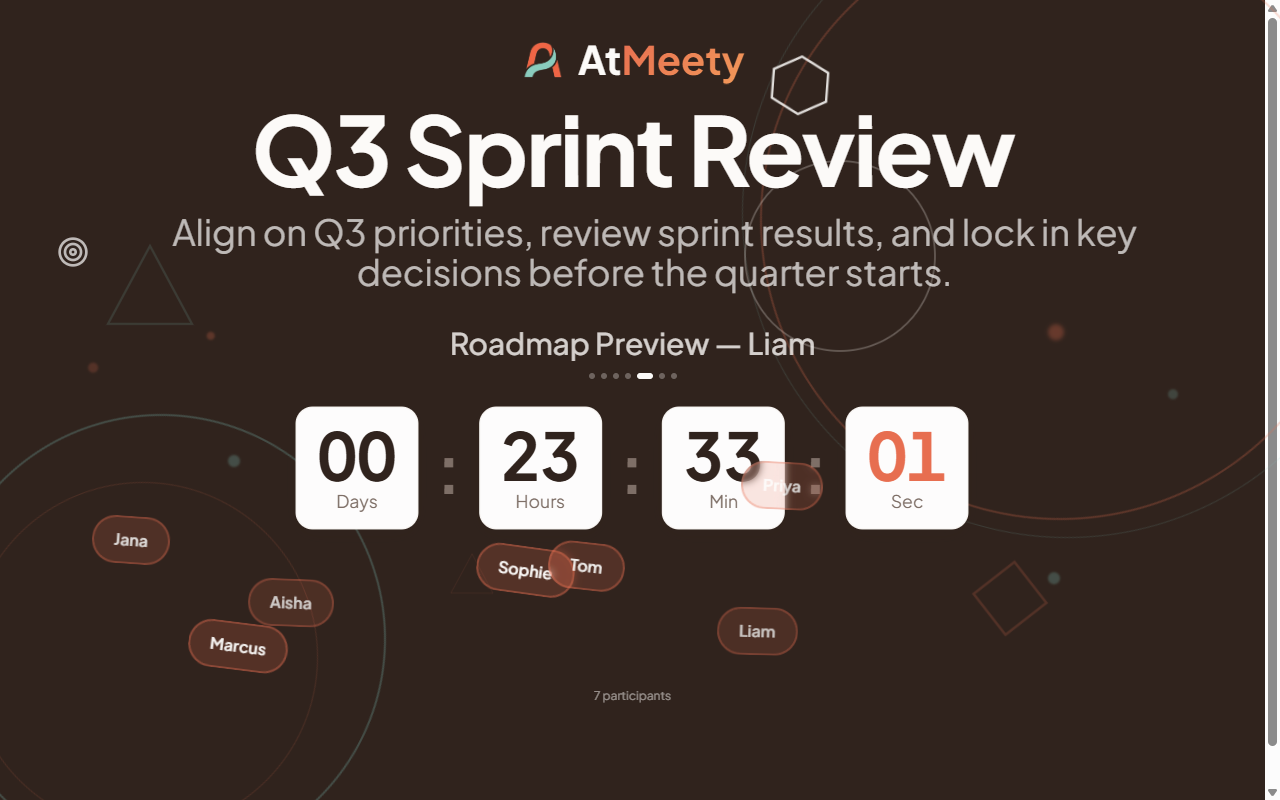
The lobby sets the tone.
People join before you start. Make that wait feel intentional, not awkward.
Countdown timer
A bold, live countdown tells everyone exactly when you start. No one wonders if they're in the right meeting.
Agenda preview carousel
Your agenda rotates automatically in the lobby. Attendees arrive knowing what to expect — and come mentally prepared.
Live participant display
See who has joined in real time. Choose floating avatars or a simple count — your participants are visible before you even start.
Floating emoji reactions
Your attendees send emoji from their phone before you start. They float up on the presenter screen in real time — the room warms up before the first agenda item.
Mood music player
Play background music while your team files in. Optional, but it shifts the energy from "waiting" to "ready".
Build your agenda from these blocks.
Every meeting is a sequence of events. Mix and match the types below. Add them in minutes, run them with one click.
Discussion
The workhorse of any agenda. Define a topic, set a timer, give the team a focused slot to talk through it. Action items captured as they surface.
Stand-ups · sprint reviews · any group discussion
Update Round
A structured go-around. Each speaker gets their own timer. Drag to reorder, randomise on the fly, or skip someone absent. No one talks over anyone.
Team stand-ups · status rounds · check-ins
Short Poll
Ask one or more questions. Your team answers on their own device. Results appear live as votes come in. You choose when everyone sees them.
Quick decisions · preference checks · pulse surveys
Input Capture
Collect written responses from your whole team. See a word cloud or raw list. Lock submissions, download as CSV, or get a structured summary of key themes and points of conflict.
Retrospectives · ideation · anonymous feedback
Presentation
A dedicated slot for one person to present. Their name and topic are shown on screen with a timer. Action items can be logged right alongside the talk.
Project updates · demos · knowledge-sharing
Timer
A clean countdown for any timed activity. Pause, reset, or nudge ±1 minute without breaking the flow. "Time's up!" appears when it hits zero.
Silent brainstorming · dot voting · individual work
Coffee Break
A circular countdown with a progress ring. Your team sees exactly how long they have. When time is up, "Break's over!" appears — no need to chase anyone back.
Long sessions · recovery between heavy agenda items
Event goals on every event
Attach a goal to any event — share information, make a decision, generate ideas, coordinate, or reflect. Record the outcome before moving on. Your team stays aligned on why each item is on the agenda.
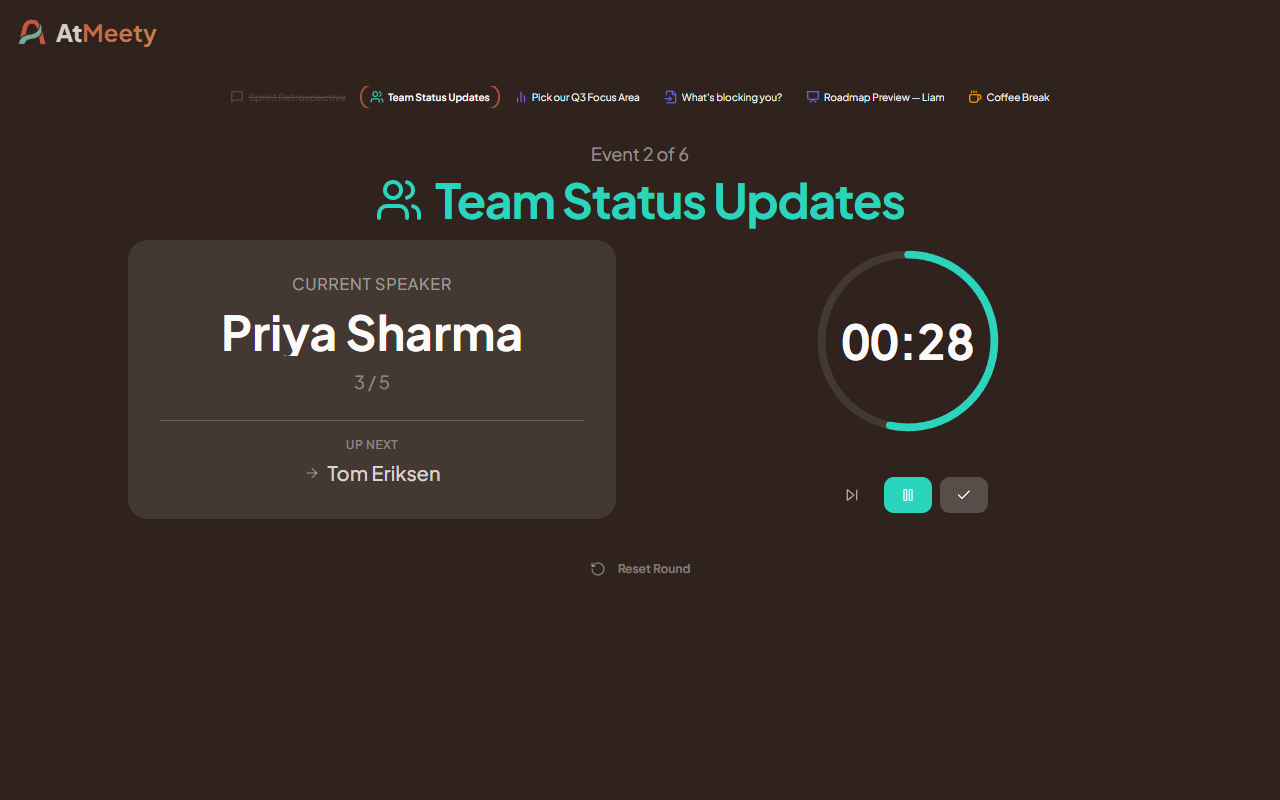
Update Round — speaker rotation with per-person timer
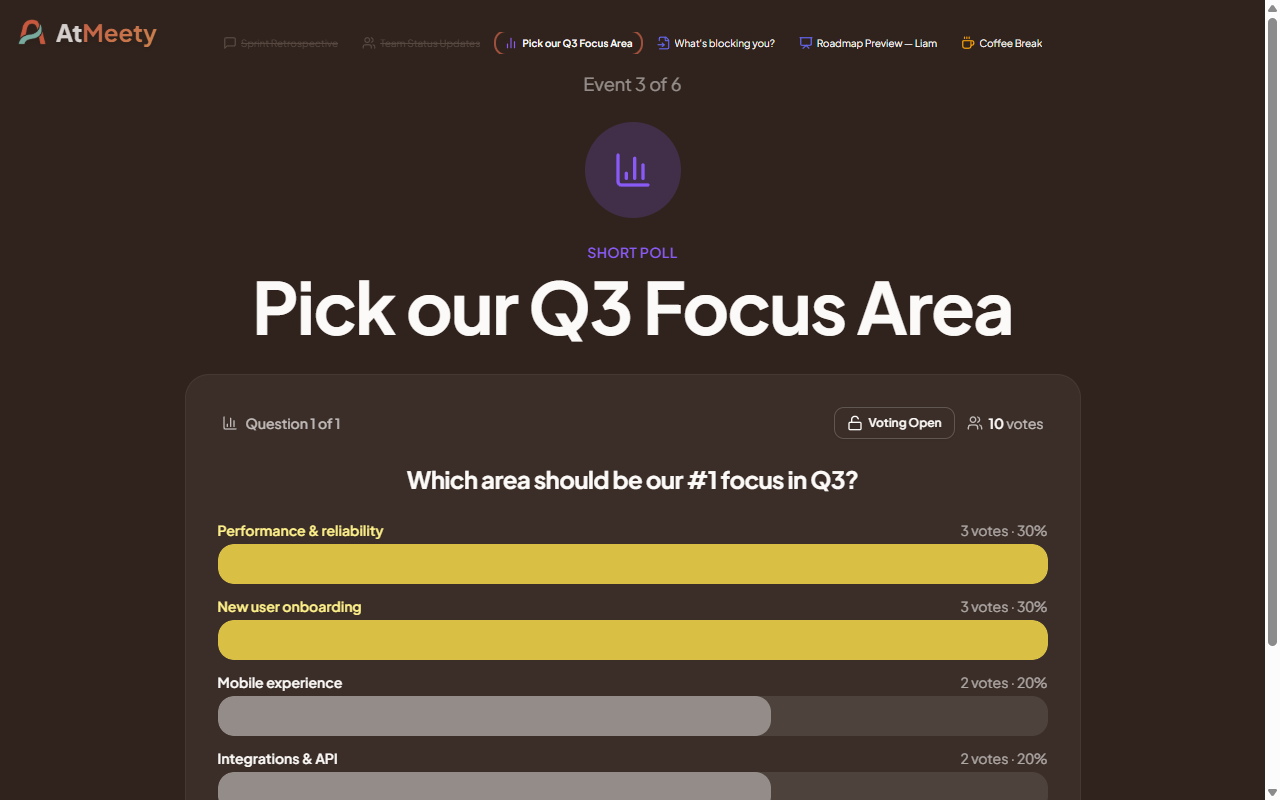
Short Poll — votes coming in live, results on presenter screen
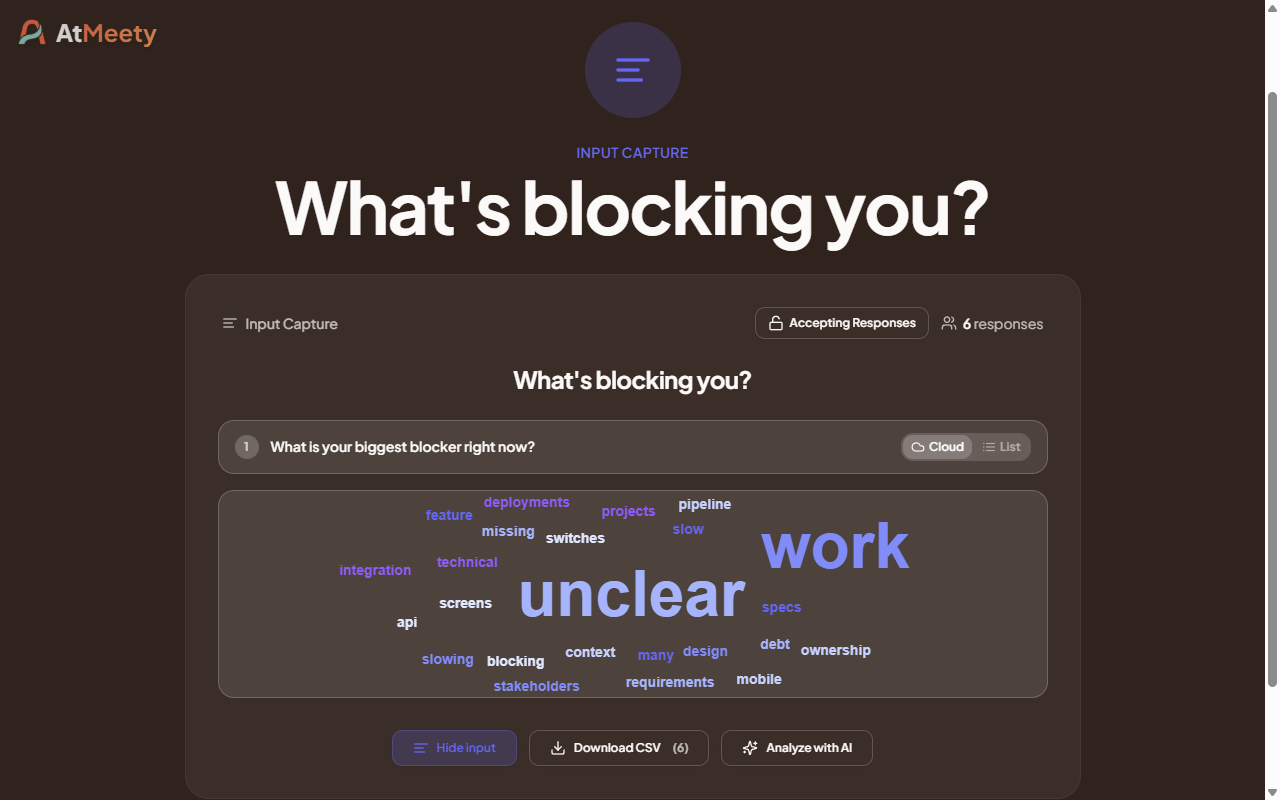
Input Capture — word cloud from participant responses
Everyone knows where you are.
Lost focus kills meetings. AtMeety keeps the full picture visible without cluttering the screen.
- 1
Mini agenda strip
A compact bar at the bottom of the screen shows every agenda item as an icon. Completed items are struck through. The current item is highlighted. Always visible, never in the way.
- 2
Agenda transition screen
Between events, a full-screen overview shows what is done, what is up next, and how many items remain. Show it manually or automatically after each event.
- 3
Synced across all views
Opening or closing the overview on one screen reflects on all connected views instantly. The presenter is always in control.
Mini agenda strip — always visible at the top of the presenter screen
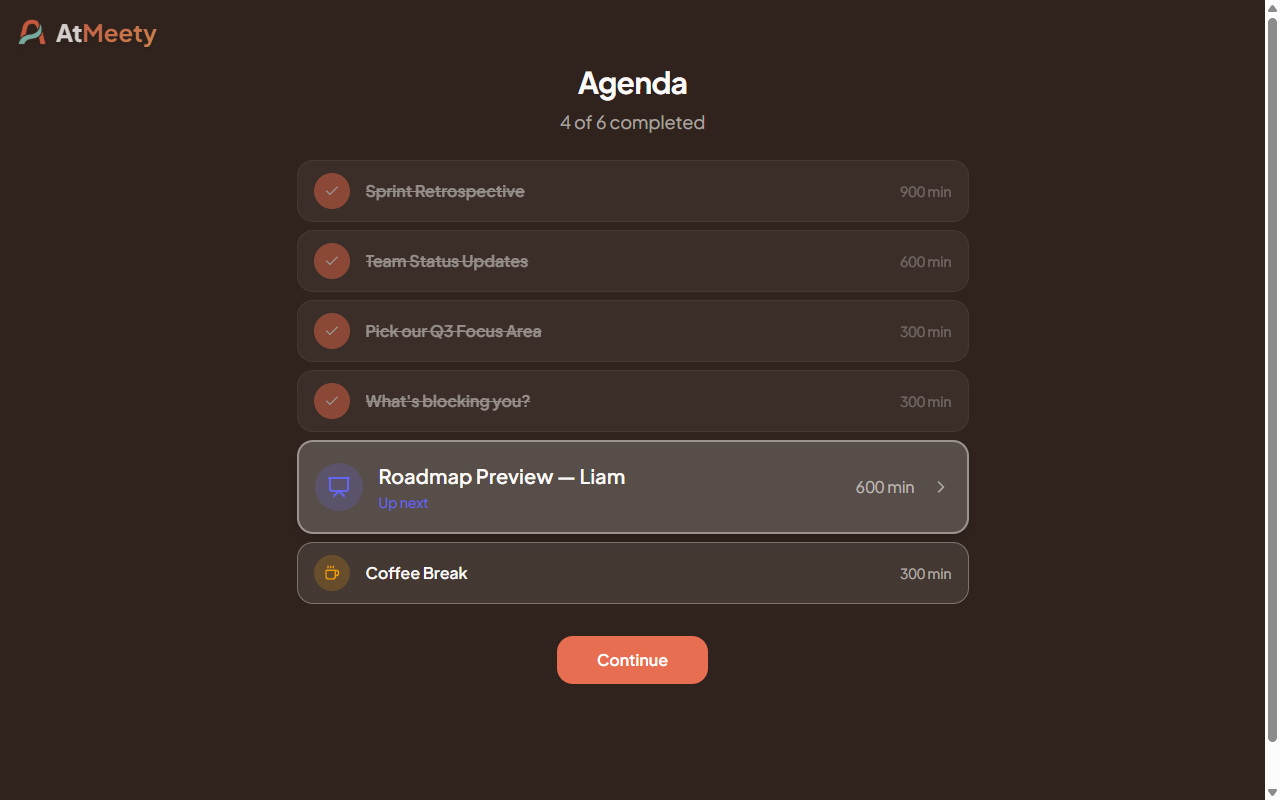
Agenda transition screen — full overview between events
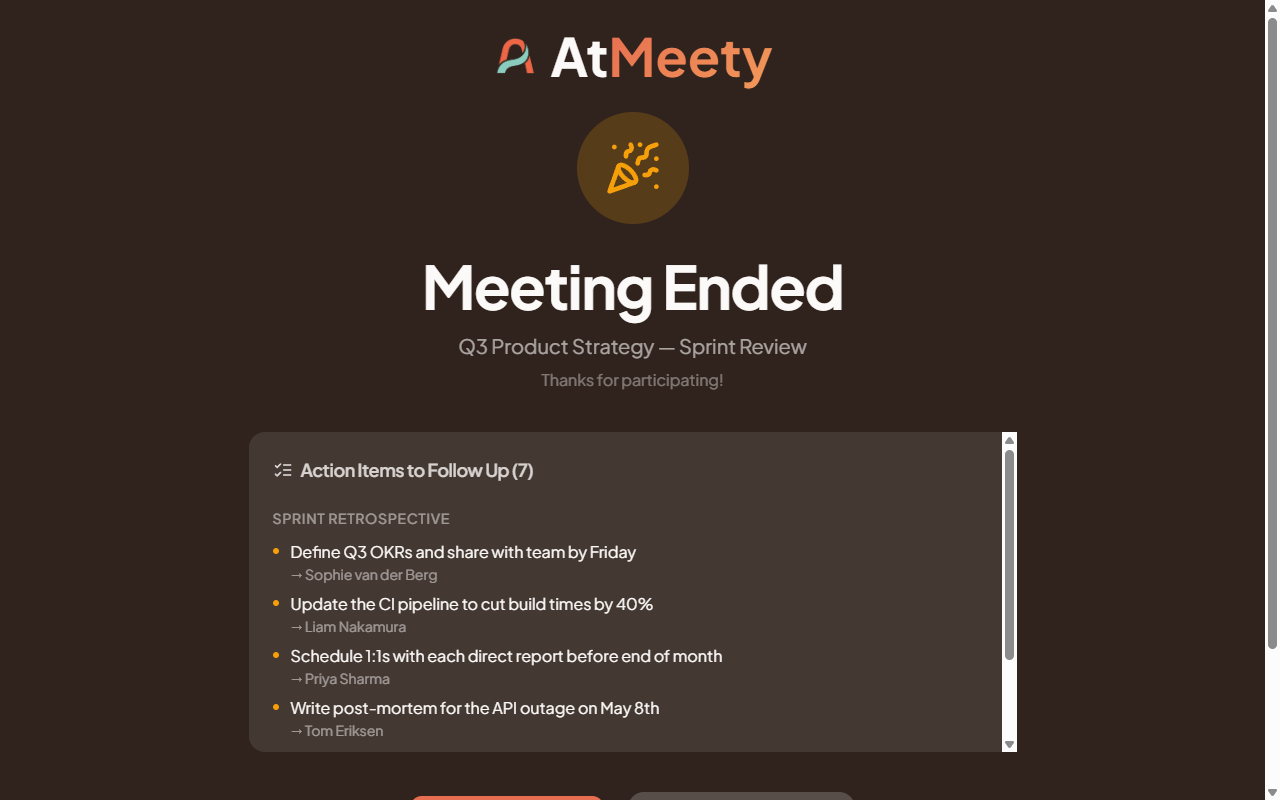
Don't let decisions disappear.
The most common meeting failure is walking out without a clear list of next steps. AtMeety captures actions as you go — no one leaves wondering what was decided.
Capture during any event
A panel sits alongside every Discussion, Update Round, and Presentation. Type an action, press Enter. Edit or delete at any point.
Full list at any time
Open the global panel from anywhere during the meeting. All items from all events, grouped by where they came from — without leaving the current event.
Copy and share in one click
One button copies a clean, grouped plain-text list. Paste it into Slack, email, or your project tool — no reformatting needed.
One meeting, three phases.
Craft the agenda beforehand. Run it live. Walk out with your action list.
Phase 1
Craft
Build your agenda. Add events, set durations, write goals. Configure the lobby. Done in minutes — no slides, no imports.
Phase 2
Run
Open the presenter screen. Attendees join on their own devices. Advance through events one at a time. Capture actions as they surface.
Phase 3
Close
The meeting ended screen shows every action item grouped by event. Copy and share in one click. Everyone leaves knowing what happens next.
No setup friction. Start your first meeting in minutes.

Ready to run better meetings?
Move your next meeting from chaos to clarity.
Create your free AtMeety account and host your first meeting within minutes.